Car history search: step-by-step guide for used car buyers

Check a vehicle before you buy
Enter a VIN for a free instant preview — accidents, title brands, mileage, liens & open recalls.
Buying a used car without checking its history is like accepting a handshake deal with a stranger. You might get lucky. But if the vehicle has a salvage title, rolled-back odometer, or hidden accident damage, you could be looking at thousands of dollars in repairs you never saw coming. A car history search is the essential step between spotting a promising listing and handing over your money. In this guide, you’ll learn exactly what to gather before you start, how to run the search, how to read your results, and how to verify what you find.
Table of Contents
Key Takeaways
| Point | Details |
|---|---|
| Start with the VIN | The car’s unique 17-digit VIN is essential for running a history search. |
| Use multiple sources | Checking several providers gives a fuller picture and helps spot issues one report may miss. |
| Review for red flags | Carefully read title brands, odometer readings, and accident history to avoid costly surprises. |
| Affordable options available | Official reports can cost as little as $5 to $12 and some free basics are available for initial checks. |
| Never skip inspection | Combine reports with physical inspections and test drives for truly informed buying decisions. |
What you need before you start
Before beginning your search, make sure you have the items and information needed to get accurate results.
The single most important piece of information is the VIN, or Vehicle Identification Number. Think of it as the car’s fingerprint. Every vehicle built after 1981 has a unique 17-digit VIN that unlocks its entire recorded history. No two are alike, and no search works without it.
Where to find the VIN:
-
On the dashboard, visible through the windshield on the driver’s side
-
On the driver’s door jamb (the sticker inside the door frame)
-
On the vehicle title, registration, or insurance card
-
On the engine block or firewall under the hood
Beyond the VIN, have these items ready before you start:
-
A photo of the car (front, rear, and sides) to compare with any damage records
-
The seller’s asking price, so you can compare it against market value data in the report
-
A list of questions about the car’s history to cross-reference with what the report shows
-
A device with a reliable internet connection
Once you have the VIN, you need to choose a provider. Here’s a quick comparison of your main options:
| Provider | Price | Data sources |
|---|---|---|
| Vektracer | From $19.99 | NMVTIS-connected, accidents, titles, recalls |
| Carfax | $44.99 | Broad network, service records |
| AutoCheck | $24.99 | Experian data, score-based |
| NMVTIS providers | $5–$12 | Title, theft, odometer only |
| Free options | $0 | Limited, often incomplete |
For a deeper look at what a VIN lookup report actually contains, it helps to understand the data layers involved. You can also review our vehicle history check guide for a broader overview of how these reports are structured.
Pro Tip: Always verify the VIN on the car matches the VIN on the title and registration. A mismatch is a serious red flag that could indicate fraud or a title swap.
Step-by-step car history search process
With everything in place, you’re ready to launch the actual search.
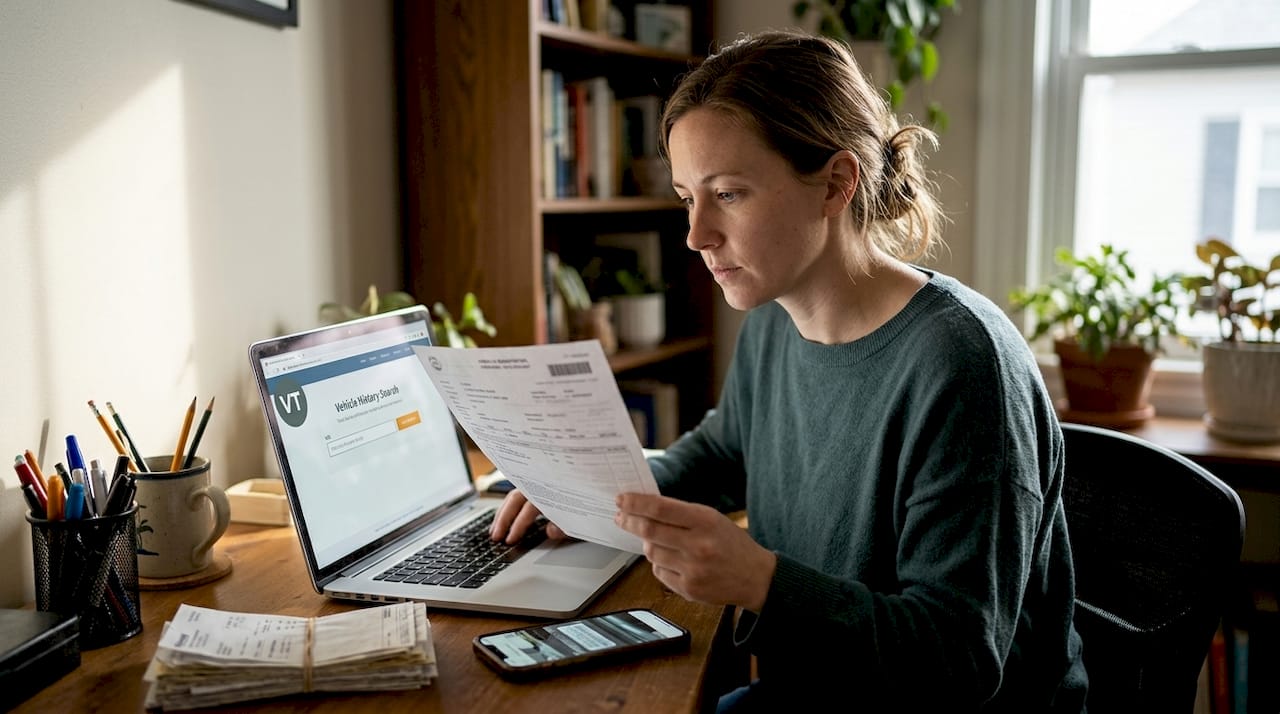
Step 1: Go to your chosen provider’s website. Open the site on your phone or computer. Most providers have a search bar front and center on their homepage.
Step 2: Enter the VIN exactly. Type or paste the 17-digit VIN carefully. One wrong character will return no results or the wrong vehicle’s data.
Step 3: Select your report type. Some providers offer single reports, bundles, or subscriptions. Choose based on how many vehicles you’re evaluating.
Step 4: Complete payment and access your report. Paid reports are typically available instantly. Download or save a copy for reference during your inspection.
Step 5: Review the summary page first. Most reports open with a highlights section flagging major issues. Use this to decide whether to read further or move on.
Understanding where the data comes from matters. Providers aggregate data from DMVs, insurance companies, police departments, auctions, service shops, and fleet operators. Each source contributes different types of records, which is why no single provider captures everything.
The NMVTIS system, which stands for the National Motor Vehicle Title Information System, is the official U.S. government database that compiles state title records, odometer readings, and theft data. States are required to query it before issuing a new title. Consumer-facing NMVTIS reports cost between $5 and $12 through approved providers and are a reliable starting point for title and theft checks.
| Report type | Best for | Limitation |
|---|---|---|
| NMVTIS | Title, theft, odometer | No accident or service data |
| Carfax | Service history depth | Higher cost |
| AutoCheck | Score-based comparison | Less detail on individual events |
| Vektracer | Full check at low cost | Best value for most buyers |
Statistic to know: NMVTIS-connected reports cover title branding, odometer fraud, and theft records across all 50 states, making them one of the most reliable data layers available to consumers.
What’s in your report: how to read and use results
After you retrieve your report, the next step is making sense of the results.
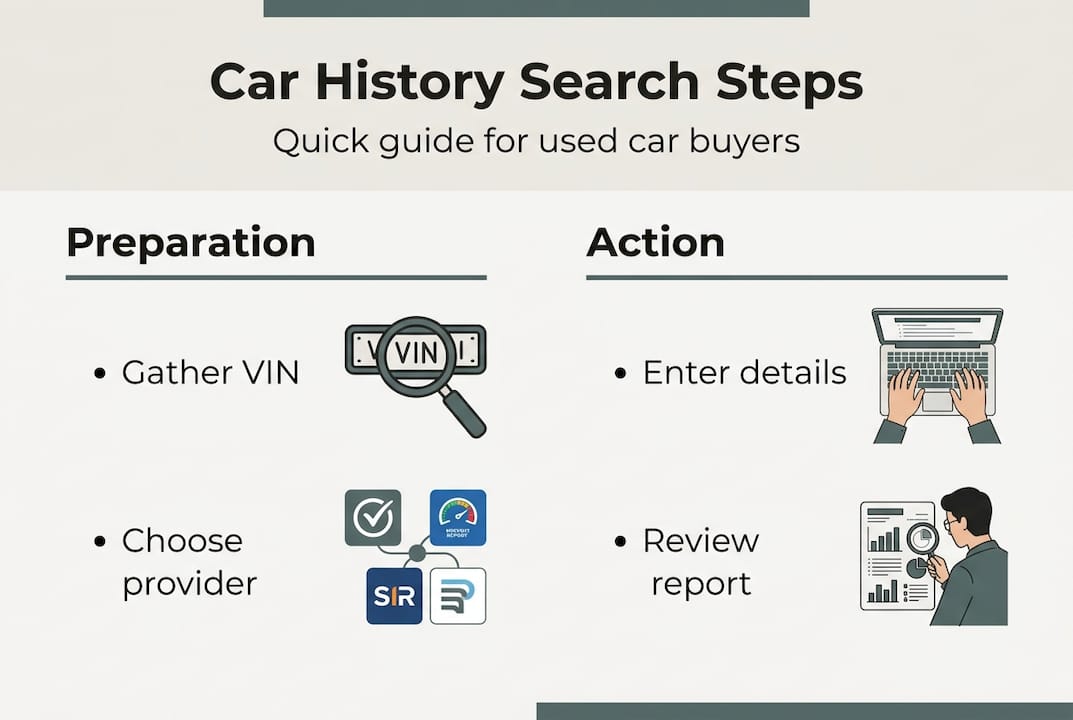
Most reports are organized as a timeline, showing events in chronological order. Reports include ownership history, title brands, odometer readings, accident and damage records, service history, lien information, and open recalls. Each section tells a different part of the story.
Key sections to review:
-
Ownership history: How many owners has the car had? Was it a personal vehicle, rental, or fleet car? More owners in a short time can signal problems.
-
Title brands: This is critical. A branded title means the vehicle was declared salvage, junk, flood-damaged, or rebuilt by a state DMV. These labels significantly affect value and insurability.
-
Odometer records: Look for consistent mileage increases over time. A sudden drop in recorded mileage is a strong sign of an odometer rollback, which is illegal and common in fraud cases.
-
Accident and damage records: Note the severity and location of any reported damage. Frame damage is a deal-breaker for most buyers. Minor cosmetic damage is usually negotiable.
-
Service history: Regular oil changes and maintenance records suggest a well-cared-for vehicle.
-
Liens: An open lien means the seller may still owe money on the car. You could inherit that debt if it’s not resolved before purchase.
-
Open recalls: Check the recall checklist to confirm whether any safety recalls have been addressed.
A clean report does not mean a perfect car. It means no reported problems were found in the data sources queried. That distinction matters.
Pro Tip: If you see a gap of two or more years with no recorded events, ask the seller directly what happened during that period. Gaps can indicate off-the-books repairs or unreported accidents.
Cross-verifying, avoiding mistakes, and next best actions
No single report covers everything. Here’s how to finish strong and avoid costly oversights.
1. Run reports from at least two providers. Each provider pulls from different data networks. Cross-checking multiple providers like Carfax, AutoCheck, and an NMVTIS-connected service gives you a more complete picture than relying on one source alone.
2. Schedule a pre-purchase inspection (PPI). A licensed mechanic can find mechanical issues that no database will ever capture. Budget around $100 to $150 for a PPI. It’s one of the best investments you can make before a major purchase.
3. Take a proper test drive. Drive at highway speeds, test the brakes hard, and listen for unusual sounds. A history report tells you what happened in the past; a test drive tells you how the car feels right now.
4. Don’t trust a clean report too much. This is the most common mistake buyers make. A clean report means no reported issues, not no issues at all. Unreported fender benders, private-party repairs, and cash transactions leave no paper trail.
5. Use findings to negotiate or walk away. If the report shows a prior accident, use that to negotiate a lower price. If it shows a branded title or frame damage, walk away unless you fully understand the implications.
The report is your starting point, not your finish line. Use it to ask better questions, not to skip the inspection.
For a full breakdown of what to evaluate before signing anything, review what to check before buying a used car. You’ll also find practical used car buying tips and tricks and a list of questions to ask the seller that most buyers overlook.
Pro Tip: If a seller refuses to let you run a VIN check or get a PPI, treat that as a major warning sign. Legitimate sellers have nothing to hide.
The full story: what most buyers miss in the car history search
Here’s something most guides won’t tell you directly: vehicle history reports are only as good as the events that were actually reported. The data aggregation process is event-driven, pulling from voluntary and mandatory sources. That means title records and theft data are highly reliable because states are legally required to report them. But accident and service data? That’s a different story.
If someone backed into a pole and paid $800 cash at a body shop, that event likely never entered any database. The car’s report looks clean. But the damage happened.
We think buyers make a mistake when they treat a clean report as permission to stop investigating. The smarter approach is to use the report as a filter. It helps you eliminate obvious red flags fast. But for the cars that pass that filter, your vehicle history check should be the beginning of your due diligence, not the end. Pair it with a physical inspection, a test drive, and direct questions to the seller. That combination gives you something no report can: real-world confidence.
Skepticism is not paranoia here. It’s just smart buying.
Affordable car history searches made easy with Vektracer
If you want to put everything you’ve learned into action, here’s an affordable tool you can use today.
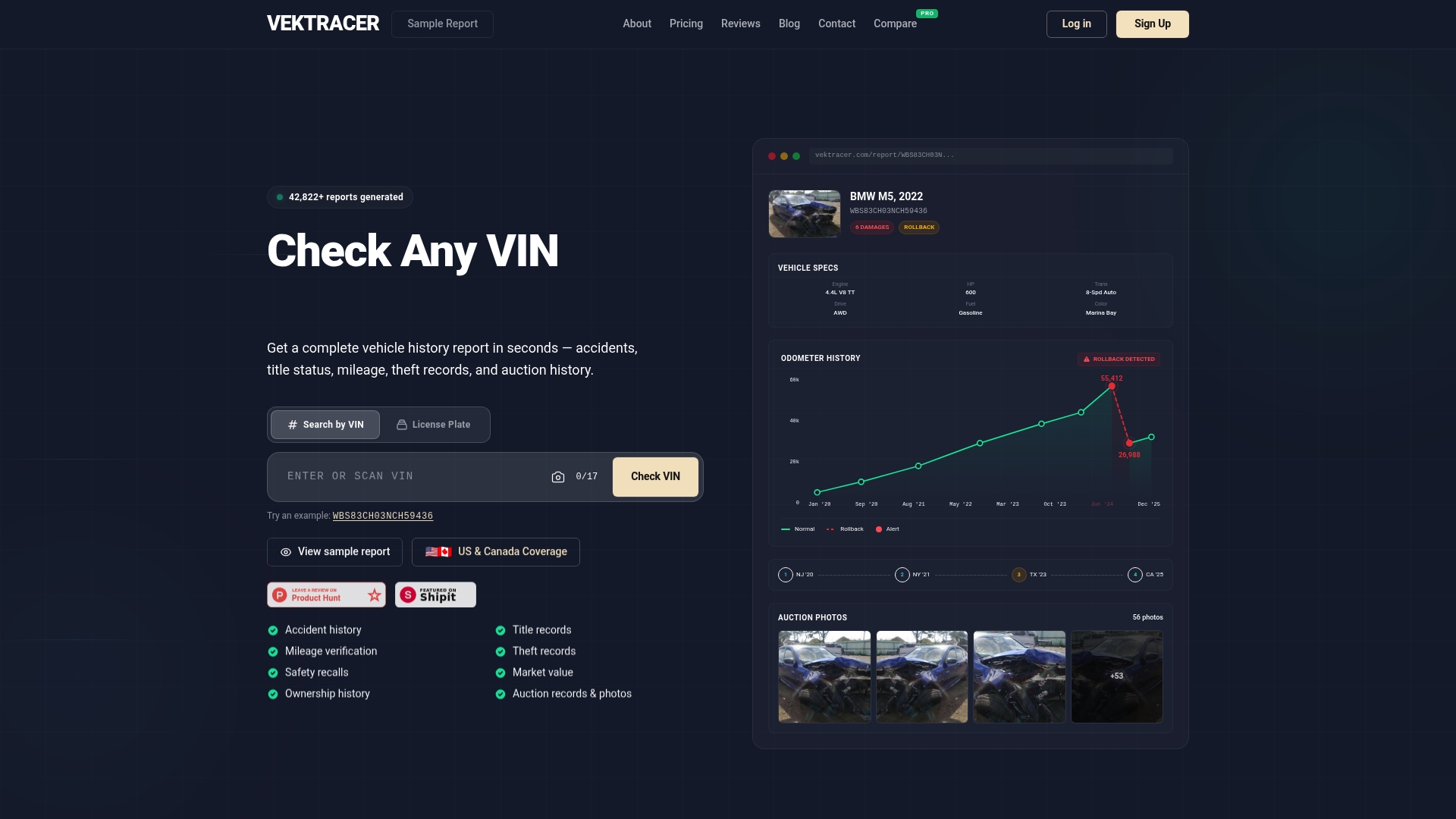
Vektracer makes it simple to run a full vehicle history check without overpaying. Our reports start at $19.99 and include accident history, title records, odometer verification, theft checks, safety recalls, and market value data, all sourced from NMVTIS-connected databases. That’s the same core data as Carfax at less than half the price. You can review how Vektracer works, check our transparent pricing, or view a sample report before you commit. No surprises, no subscriptions required.
Frequently asked questions
Where can I find my car’s VIN for a history search?
The 17-digit VIN is usually found on the dashboard (visible through the windshield), the driver’s door jamb, and on your vehicle title or registration documents.
Is a free vehicle history report enough to make a decision?
Free reports offer basic data but often miss accidents or title issues. For any significant purchase, cross-check multiple providers including at least one paid source to get a more complete picture.
What does ‘branded title’ mean on a car history report?
A branded title means a state DMV has officially labeled the vehicle as salvage, junk, flood-damaged, or rebuilt. The NMVTIS system compiles these records from all 50 states, making title brands one of the most reliable data points in any report.
Why are some accidents or repairs missing from my car’s history report?
Reports rely on event-driven data submitted by police, insurers, and repair shops. If an incident was never reported to those sources, it won’t appear in the report regardless of which provider you use.
How much does a reliable car history report cost?
NMVTIS reports cost $5 to $12 through approved providers and cover title, theft, and odometer data. More detailed paid reports like Vektracer start at $19.99 and include accident history, recalls, and market value.
Recommended
Ready to check a vehicle?
Enter any 17-character VIN for a free instant preview — no account needed.