Vehicle history reports guide for smart used car buying

Check a vehicle before you buy
Enter a VIN for a free instant preview — accidents, title brands, mileage, liens & open recalls.
TL;DR:
- Vehicle history reports provide documented records of a car’s past, including accidents, ownership, and title status.
- Buyers should verify VIN accuracy, review key sections carefully, and conduct a physical inspection before purchase.
- A VHR is a helpful first step but must be paired with in-person checks and a mechanic’s inspection for full confidence.
Buying a used car without checking its history is like accepting a stranger’s word on a handshake deal. Hidden accidents, rolled-back odometers, and shady title transfers can cost you thousands after the sale closes. A vehicle history report (VHR) gives you documented facts about a car’s past before you hand over your money. This guide walks you through everything: what VHRs cover, how to order one, how to read the results, and what to do when something looks off. Whether you’re a first-time buyer or an independent dealer moving inventory, this is your practical roadmap to safer used car transactions.
Table of Contents
Checking a specific vehicle?
Run its VIN for a free preview of accidents, title brands, mileage and open recalls.
- Understanding what a vehicle history report covers
- What you need before ordering a vehicle history report
- Step-by-step: How to order and read a vehicle history report
- What to do after reviewing your vehicle history report
- A smarter way to buy used: Why VHRs are a starting point, not a shortcut
- Get your reliable vehicle history report in minutes
- Frequently asked questions
Key Takeaways
| Point | Details |
|---|---|
| VHRs are essential | A vehicle history report alerts you to major title, accident, or mileage problems before you buy. |
| Use VHRs for negotiation | Leverage VHR details to negotiate price or walk away if you find hidden risks. |
| Never skip inspection | Always pair a VHR with a pre-purchase inspection and a test drive to ensure peace of mind. |
| Know your report options | Choose between affordable NMVTIS reports for basics or private providers for more data-rich history. |
Understanding what a vehicle history report covers
A vehicle history report is a compiled record of a car’s documented past. Think of the VIN (Vehicle Identification Number) as a fingerprint for that specific vehicle. Every event tied to that fingerprint, from a fender bender in Ohio to a title transfer in Texas, gets recorded somewhere. VHRs pull those records together into one readable document.
Vehicle history reports compile public and private records from sources like DMVs, insurers, police departments, auto auctions, service shops, and fleet operators to detail accidents, titles, ownership history, service records, odometer readings, liens, and open recalls. That’s a wide net, and it catches a lot.
Core data sources for a typical VHR:
- State DMVs (title records, registration history)
- Insurance companies (claims and total-loss events)
- Law enforcement (theft reports, impound records)
- Auto auctions (sale history, condition grades)
- Repair shops and dealerships (service records)
- Fleet and rental companies (prior commercial use)
Here’s a quick breakdown of the main sections you’ll find in most reports:
| VHR section | What it tells you |
|---|---|
| Vehicle specs | Year, make, model, trim, engine |
| Title and brand status | Clean, salvage, rebuilt, flood, lemon |
| Ownership history | Number of owners, states registered |
| Accident and damage | Reported collisions, airbag deployment |
| Service records | Oil changes, repairs, inspections |
| Odometer readings | Mileage timeline to spot rollbacks |
| Liens and loans | Outstanding financing on the vehicle |
| Recalls | Open safety recalls from the manufacturer |
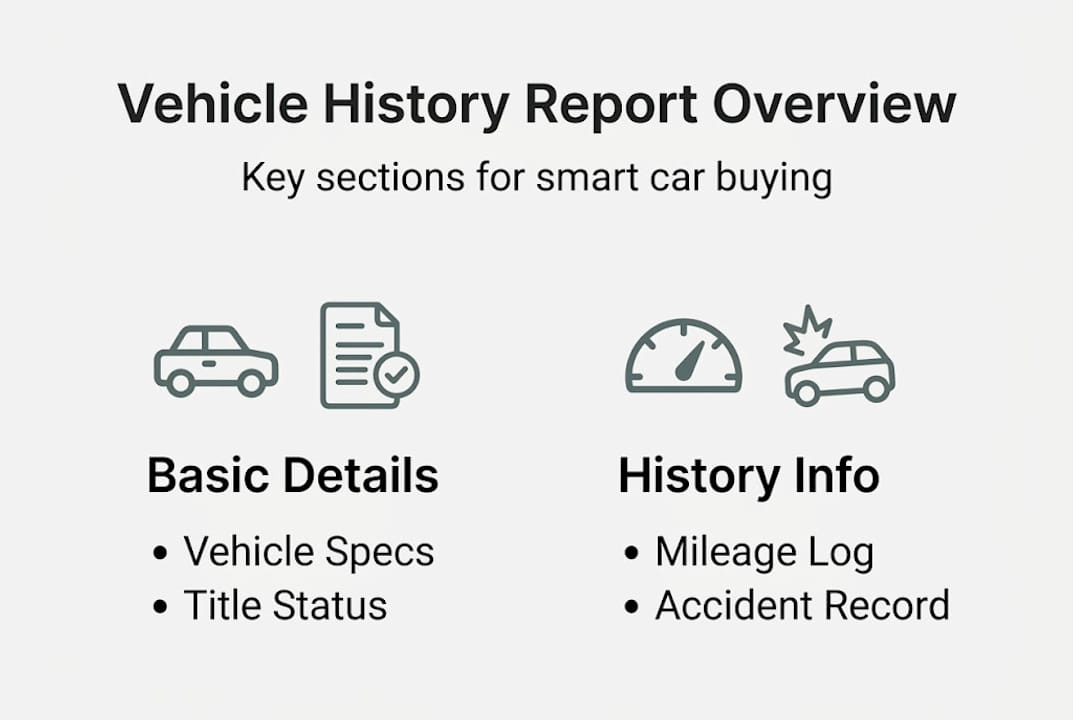
You can explore the key sections of VHRs in more detail to understand what each data point really means for your purchase decision.
One thing worth knowing: a VHR is not a guarantee. It only reflects what was reported. A private repair done outside a shop, or a minor accident the owner paid out of pocket, may never appear. That’s why smart buyers treat the VHR as a critical first filter, not the final word. Pair it with a thorough test drive and a physical inspection using your used car buying checklist before committing.
What you need before ordering a vehicle history report
Getting a VHR is straightforward, but a little preparation goes a long way. Here’s what you need lined up before you start.
What to gather first:
- The VIN. This 17-character code is on the dashboard (visible through the windshield), the driver’s side door jamb, or the title paperwork. Every report is tied to this number.
- Seller cooperation. For private sales, ask the seller to confirm the VIN matches what’s on the title. Mismatches are a red flag.
- A payment method. Most paid reports cost between $5 and $40 depending on the provider and depth of data.
- An internet connection. All major VHR services are online and deliver reports instantly.
Now, not all report sources are equal. Here’s how the main options compare:
| Provider type | Data depth | Typical cost | Best for |
|---|---|---|---|
| NMVTIS-based reports | Title, brands, odometer, total loss | $5 to $12 | Legal status verification |
| Private report companies | Full history, accidents, service, recalls | $20 to $40 | Complete pre-purchase research |
| Dealer-provided reports | Varies widely | Often free | Quick reference, not definitive |
The NMVTIS (National Motor Vehicle Title Information System) is the official federal database. All states, insurers, and junkyards are required to report title brands, odometer readings, and total-loss events to it. It’s affordable and reliable for checking legal title status, but it has a narrower scope than private reports.
For a deeper look at how these two approaches compare, see our breakdown of federal vs private VHRs. If budget is a concern, we also cover the best affordable report options that don’t sacrifice the data you actually need.
Pro Tip: Always run the VIN yourself rather than relying on a report the seller hands you. A seller-provided report could be outdated or, in rare cases, altered. Ordering your own takes minutes and removes any doubt.
Step-by-step: How to order and read a vehicle history report
Once you have the VIN and a provider in mind, the process is fast. Here’s how to do it right.
How to order your report:
- Go to your chosen VHR provider’s website.
- Enter the 17-digit VIN in the search field. Double-check every character.
- Select your report package (single report or bundle if you’re comparing multiple vehicles).
- Complete payment and access your report instantly online or via download.
How to read the key sections:
Start with the title status. A clean title is what you want. Watch for words like salvage, rebuilt, flood, lemon, or junk. These brands signal serious past damage or legal issues that affect safety and resale value.
Next, check the ownership and mileage history. Look at ownership count, the states the car was registered in, and whether the mileage timeline moves consistently upward. Any dip in recorded mileage is a serious warning sign of odometer fraud.

Then review the accident and damage section. Note whether damage was minor (bumper) or structural (frame). Airbag deployment is especially significant because it usually indicates a high-impact collision.
Check service records for consistency. Regular maintenance entries suggest a well-cared-for vehicle. Large gaps in service history can mean neglect or undisclosed repairs. Also confirm whether any open recalls appear, since unresolved recalls can be a safety issue and a negotiating point.
For a closer look at what these entries actually look like, our guide on how to check a history report walks through real examples. You can also review red flags in VIN reports to train your eye before you start.
Warning: Never make a final purchase decision based on the VHR alone. Even a spotless report can miss unreported damage or mechanical issues. Always schedule a pre-purchase inspection (PPI) with a trusted mechanic and take the car for a test drive.
Pro Tip: If the report shows the car was previously used as a rental or fleet vehicle, factor in higher-than-average wear even if the mileage looks reasonable.
What to do after reviewing your vehicle history report
Reading the report is only half the job. What you do with that information is where the real value shows up.
If the report looks clean:
- Don’t assume it’s problem-free. Schedule a professional pre-purchase inspection.
- Use the clean report as a starting point for fair price negotiation, not as a reason to skip due diligence.
- Ask the seller for physical service records to confirm what the VHR shows.
If the report shows issues:
- Minor accidents with documented repairs may be acceptable. Get a mechanic to verify the repair quality.
- Salvage or rebuilt titles significantly reduce resale value and can affect insurance coverage. Proceed with caution.
- Multiple ownership changes in a short period can signal recurring problems. Ask questions.
- Walk away from any vehicle with flood damage, frame damage, or an odometer discrepancy. These are rarely worth the risk.
VHRs are essential but not complete. They work best when paired with a PPI and test drive, giving you the strongest position for negotiation or risk avoidance in the used car market.
Here’s a simple action guide based on what you find:
| Report finding | Recommended action |
|---|---|
| Clean title, consistent mileage | Proceed to PPI and test drive |
| Minor accident, repaired | Get mechanic to verify repair quality |
| Salvage or rebuilt title | Negotiate heavily or walk away |
| Odometer inconsistency | Walk away immediately |
| Open recalls | Confirm if recall work was completed |
| Flood or frame damage | Walk away |
For more guidance on interpreting specific findings, our article on checking accident history goes deeper. You can also follow our step-by-step car history guide for a full walkthrough from search to purchase.
A smarter way to buy used: Why VHRs are a starting point, not a shortcut
Here’s something experienced buyers and dealers know that most guides won’t tell you directly: a clean VHR can actually create a false sense of security. Buyers who see a spotless report sometimes skip the mechanic visit. That’s exactly when they get burned.
Not every accident gets reported. A seller who pays a body shop in cash, or fixes cosmetic damage themselves, leaves no paper trail. Odometer fraud still happens, and some of it is sophisticated enough to slip past basic checks. The VHR is a powerful tool, but it only shows what was formally documented.
The most experienced used car dealers we’ve seen operate with a simple rule: trust the report, then verify everything in person. That means visual checks for paint inconsistencies (which can signal hidden body work), a magnet test for filler on body panels, and a qualified mechanic looking underneath.
Always ask the seller for physical service records or repair receipts, even when the insights from VIN lookup reports look perfect. Real documentation from a real shop is harder to fake than a digital record. Think of the VHR as your first conversation with the car’s history. The inspection is where you verify what it told you.
Get your reliable vehicle history report in minutes
You now have the knowledge to use a vehicle history report the right way. The next step is getting one you can actually trust.
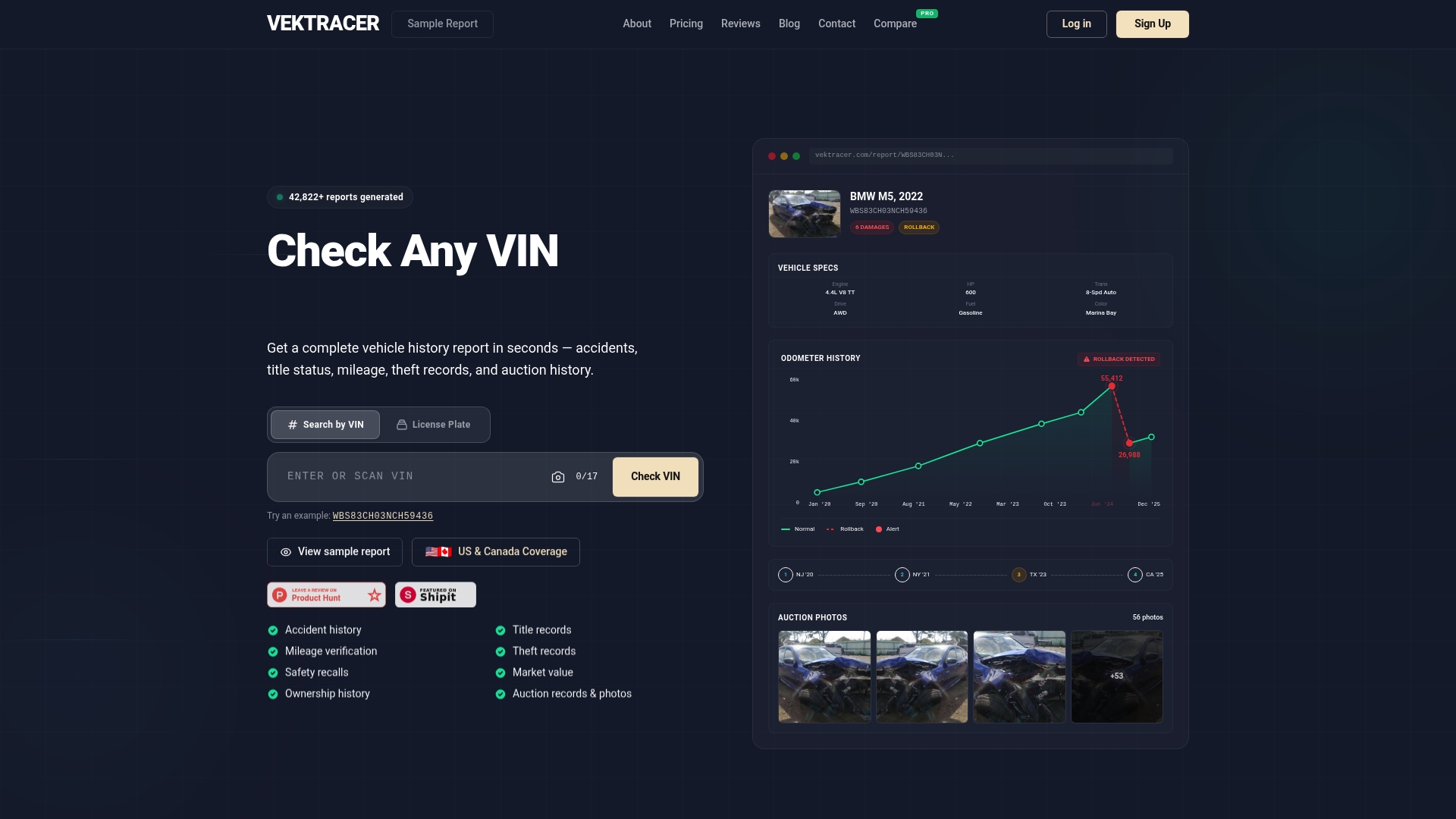
At Vektracer, we make it simple. Enter a VIN, choose your package, and get a full report delivered instantly. Our reports are built on NMVTIS-connected sources and cover accident history, title records, mileage verification, theft checks, safety recalls, and market value data. Pricing starts at $19.99, which is a fraction of what Carfax charges at $44.99. Want to see what you’re getting before you buy? Check out how VekTracer works, review our affordable pricing, or preview a sample VHR right now.
Frequently asked questions
What is the difference between NMVTIS and private vehicle history reports?
NMVTIS reports focus on title brands, odometer readings, and total-loss events at a lower cost of $5 to $12. Private reports add accident details, service records, recall data, and more for a fuller picture.
Is a clean vehicle history report enough to buy with full confidence?
No. A VHR is a critical first step, but not a complete picture. Always follow up with a pre-purchase inspection and test drive to catch issues that were never formally reported.
What information do I need to order a vehicle history report?
You need the vehicle’s 17-digit VIN, access to a reputable VHR provider, and a payment method. The VIN is found on the dashboard, door jamb, or title paperwork.
How much does a vehicle history report typically cost?
NMVTIS-based reports run $5 to $12 for basic title and legal status data. Detailed private reports typically cost $20 to $40 and include accident, service, and recall information.
Can a vehicle history report show all previous accidents and repairs?
No. Not all accidents and repairs are formally reported, so some incidents may not appear. Always combine your VHR with a physical inspection and ask the seller for service records to fill in the gaps.
Recommended
Ready to check a vehicle?
Enter any 17-character VIN for a free instant preview — no account needed.