CheckCar VIN Review: Features, Accuracy, and Value in 2026
Check a vehicle before you buy
Enter a VIN for a free instant preview — accidents, title brands, mileage, liens & open recalls.
CheckCar is a low-cost VIN report option that covers the basics but has limited data depth, recurring billing transparency complaints on Trustpilot, and may miss records on imported or lightly-titled vehicles. That makes it useful as an initial screen, not as the only evidence behind a major used-car purchase.
The popular advice is to run one history report and move on. That advice is too casual. A report can show a title brand, mileage event, theft flag, or accident record, yet still leave important history outside its database. The CheckCar VIN review question is therefore less about whether the site works and more about whether its coverage matches the vehicle you're considering.
Table of Contents
Checking a specific vehicle?
Run its VIN for a free preview of accidents, title brands, mileage and open recalls.
- Why a CheckCar VIN Review Matters Before You Buy
- What CheckCar Actually Offers and Where Its Data Comes From
- How to Run a CheckCar Lookup and Read the Report
- Accuracy, Coverage Gaps, and Real User Complaints
- How CheckCar Compares to Vektracer and Other VIN Reports
- Which Buyer Type Should Use CheckCar and Who Should Look Elsewhere
- The Bottom Line and What to Do Next
Why a CheckCar VIN Review Matters Before You Buy
A VIN report is a risk filter, not a mechanical inspection and not a guarantee of a clean vehicle. The VIN connects a car to records held by title agencies, insurers, auction platforms, repair networks, and theft databases, but those sources don't all report the same information. A buyer who treats a short report as a complete biography of the car is already making a costly assumption.
Mileage manipulation shows why that assumption fails. The National Highway Traffic Safety Administration's odometer-fraud guidance says the chance of odometer fraud occurs during the first 11 years of a vehicle's life and advises buyers to use the VIN to order a vehicle history report if the seller doesn't provide one. Carfax estimated in a 2025 update that more than 2.45 million vehicles on U.S. roads had rolled-back odometers, a 14% increase from the previous year. California accounted for 532,200 suspected cases, while Texas accounted for 333,900.
Those figures don't prove that CheckCar misses a particular mileage event. They do prove that mileage deserves more than a glance at the dashboard. A timeline tied to a specific VIN, title event, or service entry can expose inconsistencies that a visual inspection won't reveal.
The real decision behind a cheap report
CheckCar can make sense when you need a fast, inexpensive first screen on a conventional U.S.-titled vehicle. It becomes a weak stopping point when the car has moved between states, crossed the U.S.-Canada border, passed through an auction, or carried a salvage or rebuilt identity.
The U.S. Department of Justice describes NMVTIS as a reference layer, not the source of record. The operator can't change title information, while the state DMV that issued the title maintains lien, theft, junk, salvage, and insurer designations, as explained in the official NMVTIS contact guidance. That distinction matters. A commercial report may aggregate records, but a serious title question can still require the issuing state's full record.
Practical rule: Use CheckCar to decide whether a vehicle deserves deeper investigation. Don't use it to eliminate the need for a title review, recall search, inspection, or seller questions.
This review focuses on convenience, coverage, report interpretation, billing concerns, and alternatives. It isn't an endorsement of CheckCar, and it won't call a vehicle “clean” merely because a database returns limited results.
What CheckCar Actually Offers and Where Its Data Comes From
CheckCar's appeal is straightforward. Enter a VIN, receive a structured report, and look for the familiar risk categories, including vehicle identity, title brands, theft signals, recalls, mileage entries, accident information, and possibly valuation context. That format is convenient for private-party shoppers and dealers who need a quick triage tool before arranging an inspection.
The problem is that a feature list doesn't tell you how complete the underlying record is. Government title data, insurer reports, police theft records, auction entries, and service records each have different reporting paths. A result with a source reference is more useful than broad language such as “complete history” or “comprehensive report,” especially when the vehicle has an unusual ownership or import background.
What the report can and can't establish
Title branding is one of the strongest parts of a VIN review because branded titles are tied to official state records. NMVTIS illustrates the scale of that infrastructure. Its annual report stated that, as of September 2016, 44 states were providing data, with more than 508 million current title records and about 587 million title history records in the system. The NMVTIS annual report shows why VIN continuity across jurisdictions is central to detecting salvage, rebuilt, flood, and other brand changes.
That scale doesn't mean every CheckCar result contains every NMVTIS event. Official guidance says consumer NMVTIS reports are intentionally concise and focus on a narrow set of fraud and theft-related indicators. They don't reliably provide full accident detail, repair history, or every title event, and some information may require the complete state title record.
| CheckCar Feature | Likely Data Source | Verified or Inferred |
|---|---|---|
| VIN decoding and vehicle identity | Manufacturer VIN structure and registry data | Usually verified when the VIN is valid |
| Title brands | State DMV and title systems, potentially aggregated through NMVTIS | Strongest when a state record is present |
| Theft indicators | Police and theft databases | Verified only where a participating agency has reported the event |
| Recall flags | Manufacturer or government recall databases | Requires a separate official recall confirmation |
| Odometer readings | Title, inspection, service, insurer, or auction records | Verified entries can reveal a pattern, but gaps remain possible |
| Accident and damage history | Insurer, police, repair, auction, and other reporting partners | Reported events only, not every collision |
| Market value estimate | Aggregated market and vehicle-history signals | An estimate, not an appraisal or guaranteed selling price |
The honest reading is simple. CheckCar can organize available signals, but it can't create a record that no participating source reported. “No records found” may mean no reported event, while “data unavailable” points more directly to a coverage limitation. Treat those phrases differently.
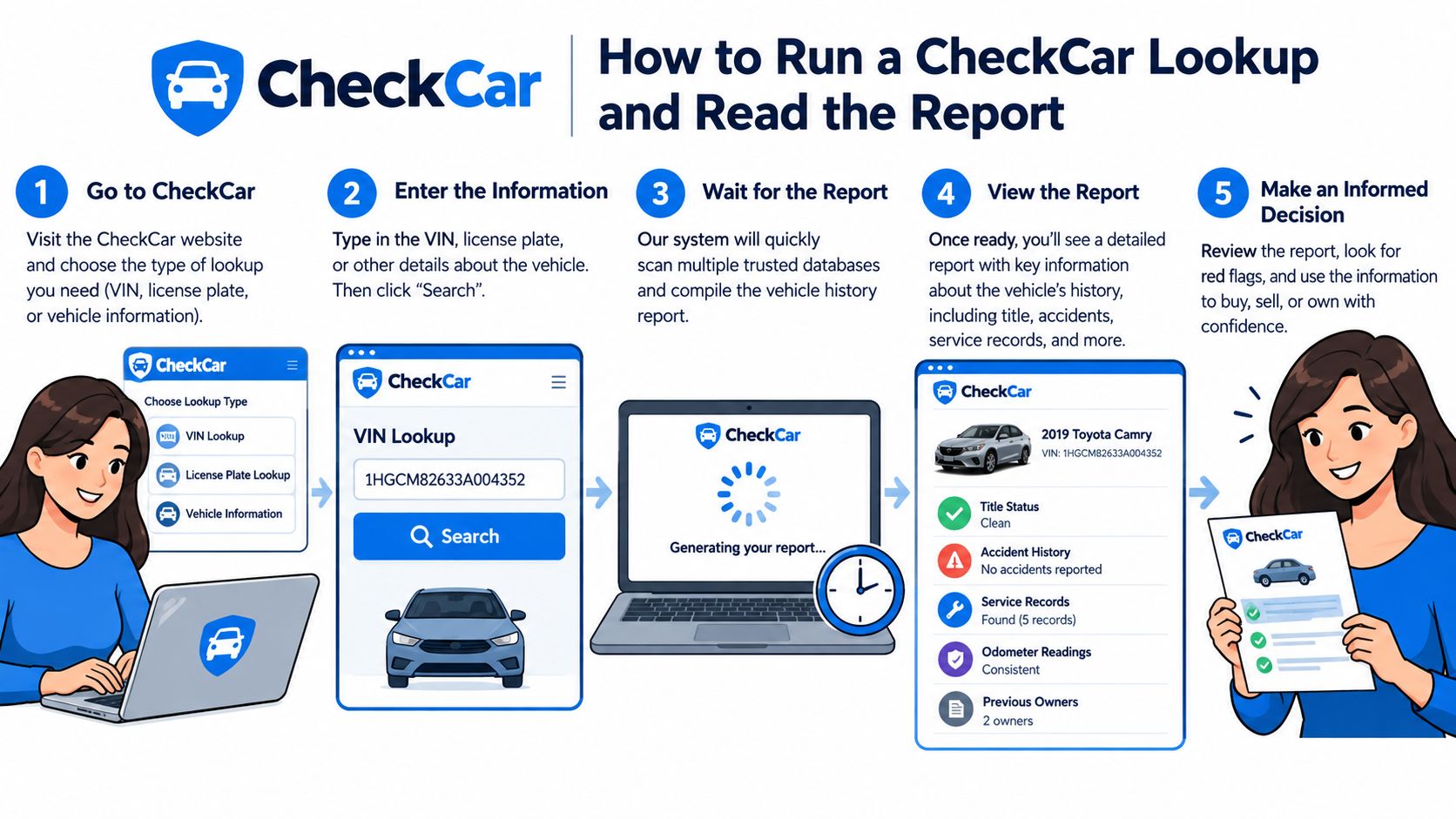
How to Run a CheckCar Lookup and Read the Report
Start with the vehicle itself, not the seller's message or online listing. NHTSA says the VIN appears in the lower-left corner of the windshield, inside the driver's doorjamb, and on registration or insurance documents, as described in its vehicle safety recall guidance. Copy the characters carefully, then compare the dashboard VIN with the door label and paperwork.
A practical lookup sequence
Confirm the identity. Check that the VIN belongs to the same make, model, body style, and model year as the vehicle in front of you. A report on the wrong VIN can look perfectly legitimate.
Enter the VIN into CheckCar. Review the preview or initial findings before paying. Look for indications that records exist, rather than assuming that a blank result means a clean past.
Review the purchase terms. If CheckCar presents a single-report option and a subscription option, read the renewal language, cancellation process, and refund conditions before submitting payment. Convenience can become a billing problem.
Read the title section first. Terms such as salvage, rebuilt, flood, junk, or other brand designations deserve immediate attention. Confirm any serious title issue with the issuing DMV before negotiating.
Build a mileage timeline. Compare every reported odometer entry with the current dashboard reading and the vehicle's apparent wear. A lower later reading is a warning, while a long gap is an absence of evidence, not proof of consistency.
Separate events from conclusions. An accident date, damage description, auction entry, or service record tells you what a source reported. It doesn't tell you the full structural condition of the car. Ask a mechanic to inspect flagged areas.
Use this guide to reading a VIN report and buying smarter when the report uses unfamiliar title or mileage terminology.
What a blank result really means
A report that says no records were found isn't the same as a report confirming no accidents, no repairs, or no ownership changes. NMVTIS notes that a vehicle may have an empty or partial paper trail when participating states haven't reported brand, odometer, or title information. That problem is more likely to matter for imported, auction, or recently relocated vehicles.
Before buying, compare the VIN on the report with the car, ask the seller for title documents, and cross-check major red flags with an official source or second provider. Also run the VIN through NHTSA's recall lookup. The agency's tool can search by VIN or license plate, check up to 100 VINs, and says open recalls are repaired for free at a local dealership, as stated on the official NHTSA recall lookup.
Accuracy, Coverage Gaps, and Real User Complaints
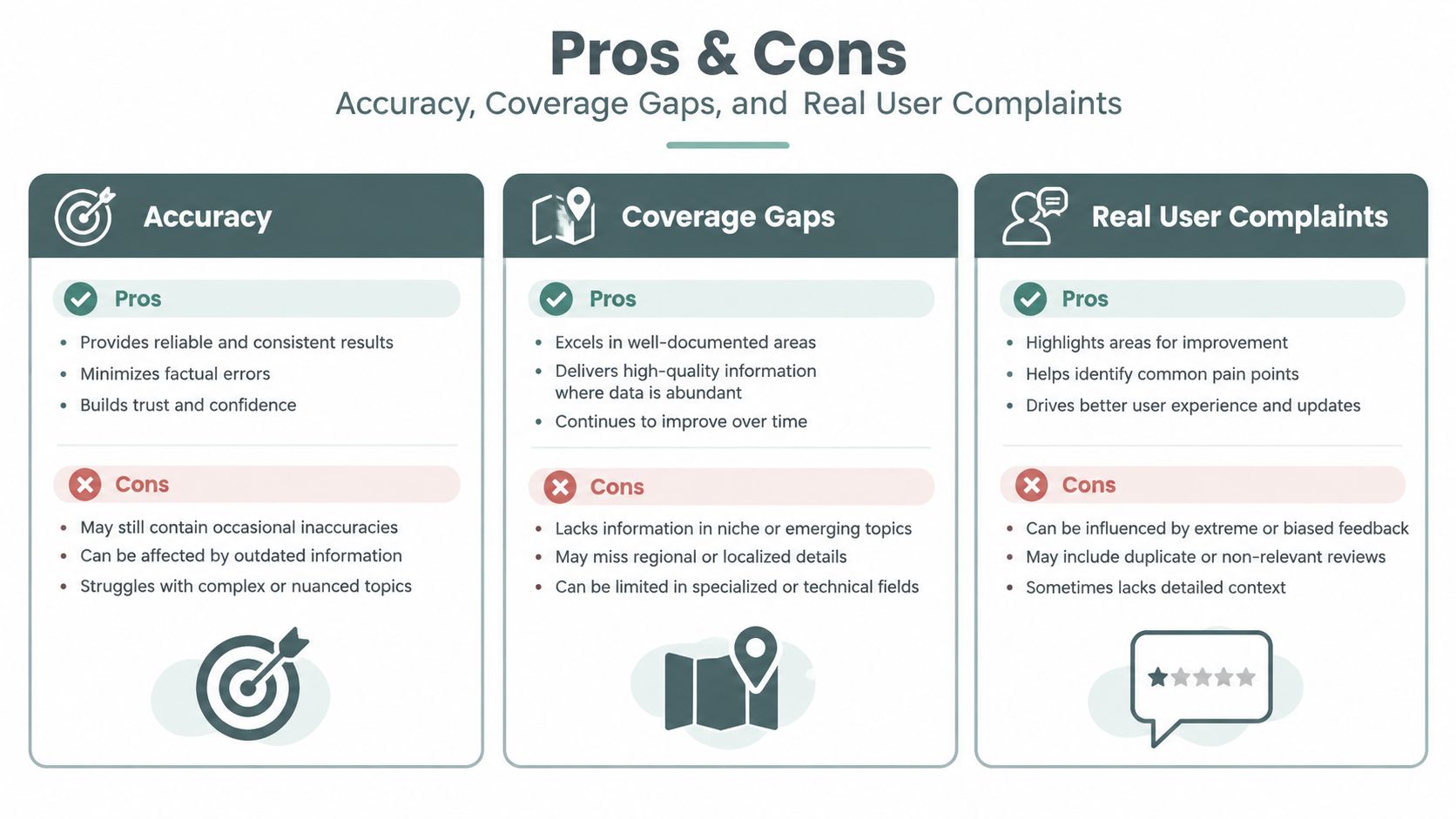
CheckCar's accuracy depends on the quality and reach of its input records. A title brand maintained by a state system is materially different from an inferred accident signal assembled from a thinner aggregator. Buyers should judge each line by its likely source, not by the polished appearance of the report.
The central limitation is coverage. Official NMVTIS guidance says consumer reports are concise and don't reliably contain accident detail, repair history, or every title event. A state title record may hold information that a commercial summary doesn't show. That means a CheckCar report can be accurate as far as it goes while still being incomplete for the vehicle you care about.
Where imported vehicles create trouble
Cross-border history is especially difficult. NMVTIS explains that an empty or partial paper trail can remain when participating states haven't reported brand, odometer, or title data. A vehicle that originated in Canada, Europe, or another jurisdiction may therefore look less documented after entering the United States than its actual history would suggest.
CheckCar also deserves scrutiny on billing. Recent consumer feedback on CheckCar reviews on Trustpilot includes complaints and a poor rating across reviews in the last 12 months, with recurring concerns about unclear recurring billing and cancellation. Those reviews don't establish that every customer has the same experience, but they are a practical reason to inspect checkout language and monitor the payment method after purchase.
Use this guide to avoiding VIN-check subscription traps before choosing any low-cost report provider.
Warning signs that the report is incomplete
- A blank history: “No records found” doesn't confirm that no accident, repair, or title event occurred.
- A missing mileage timeline: Few readings make rollback harder to evaluate.
- A recent state move: A vehicle may have left the reporting jurisdiction before important events appeared in the current record.
- An imported or auction vehicle: Foreign titles and wholesale records may sit outside the report's strongest feeds.
- Unclear source labels: If the report doesn't identify whether a flag came from a DMV, insurer, auction, or inferred database, treat the conclusion cautiously.
- A mismatch with the physical car: Differences in VIN, trim, mileage, or title paperwork require a pause before payment.
A clean-looking summary is useful only when you understand what it checked. For a high-value purchase, pair it with the issuing DMV's title information and an independent inspection.
How CheckCar Compares to Vektracer and Other VIN Reports
The right comparison isn't just “which site is cheapest?” It is whether the report answers the question your vehicle creates. A late-model U.S.-titled car with ordinary ownership history needs a different level of research than a Canadian import, salvage auction purchase, or vehicle with inconsistent mileage.
CheckCar belongs in the budget-screening category. Its convenience can be enough for an initial title, theft, recall, and mileage review, but buyers should expect thinner coverage when records cross borders or remain outside common state feeds. Vektracer offers VIN and license-plate searches, title and brand records, accident and damage events, odometer timelines, theft checks, auction records and photos where available, recalls, ownership context, service information when reported, and market-value signals. Carfax and AutoCheck remain familiar choices for buyers who prioritize broad U.S. history and service reporting, while EpicVIN can serve shoppers comparing lower-cost alternatives.
Prices and delivery claims change, so don't treat a provider's advertised price or delivery promise as permanent. Check the checkout page before paying and confirm exactly what the selected product includes.
| Provider | Single Report Price | US Title Sources | Cross-Border / Import Coverage | Auction Photos | Recall Data | Typical Delivery Time |
|---|---|---|---|---|---|---|
| CheckCar | Verify current checkout price | Basic aggregated coverage, with gaps possible | Limited or variable | May be limited or unavailable | Check report, then confirm with NHTSA | Depends on the service and record availability |
| Vektracer | Verify current checkout price | Aggregated government and related records | Markets U.S. and Canadian coverage, with records dependent on availability | Included where available | NHTSA-sourced lookup offered | Online delivery, subject to record availability |
| Carfax | Verify current checkout price | Broad U.S. commercial history | Coverage varies by vehicle and jurisdiction | Availability varies | Confirm through NHTSA | Check provider terms |
| AutoCheck | Verify current checkout price | Broad U.S. commercial history | Coverage varies by vehicle and jurisdiction | Availability varies | Confirm through NHTSA | Check provider terms |
| EpicVIN | Verify current checkout price | Aggregated records with vehicle-dependent coverage | Coverage varies | Availability varies | Confirm through NHTSA | Check provider terms |
A report also has value after a crash, not only before a purchase. If an insurer's valuation looks wrong after a total loss, this resource on fair settlement after an accident explains why the underlying vehicle evidence deserves an audit.
For a deeper comparison of two options, read Carfax versus Vektracer. My recommendation is practical: if the vehicle has any non-U.S. history and the price difference is small, use CheckCar as a preliminary screen and obtain a second, deeper report before committing.
Which Buyer Type Should Use CheckCar and Who Should Look Elsewhere
CheckCar is reasonable for a buyer who understands its role. If you're looking at a conventional U.S.-titled vehicle and need a quick sanity check for title branding, basic theft indicators, recall status, and mileage consistency, a low-cost report can help decide whether to spend time on a seller visit and inspection.
That use case is narrower than many review pages suggest. A private-party buyer shouldn't mistake a budget report for a substitute for a mechanic, title review, or direct seller questioning. An accident repaired outside an insurer's reporting process may not appear, and a report can't reveal every structural or mechanical defect.
Match the tool to the vehicle
CheckCar fits better when:
- The vehicle has a straightforward U.S. title history.
- The VIN matches the dashboard, doorjamb, registration, and title.
- The seller provides consistent mileage and maintenance information.
- You're using the report as an initial filter, not final proof.
- The car has no obvious salvage, rebuilt, flood, auction, or import indicators.
Look for deeper coverage when:
- The vehicle has Canadian, Mexican, European, or other cross-border history.
- The seller mentions salvage, rebuilt, flood, total loss, or auction activity.
- Odometer readings don't align with the dashboard or paperwork.
- The vehicle has changed states and the title trail looks unusually thin.
- You're buying for resale, evaluating multiple trade-ins, or checking a lien or title question that requires official confirmation.
For imported cars and auction vehicles, Vektracer is one option that combines U.S. and Canadian history signals with title, accident, mileage, theft, recall, ownership, service, and auction information where records are available. Carfax or AutoCheck may be preferable for shoppers who specifically want extensive U.S. DMV and franchise-service history. No provider should be treated as a complete substitute for the state or provincial authority holding the source record.
The decision rule I use
If the car's history looks ordinary, CheckCar can be a sensible first pass. If the history is non-obvious, pay for deeper evidence once rather than relying on a cheap report alone. Then take the report to an independent mechanic and ask for targeted inspection of any reported damage, paintwork, frame area, airbags, flood signs, and mileage inconsistencies.
The Bottom Line and What to Do Next
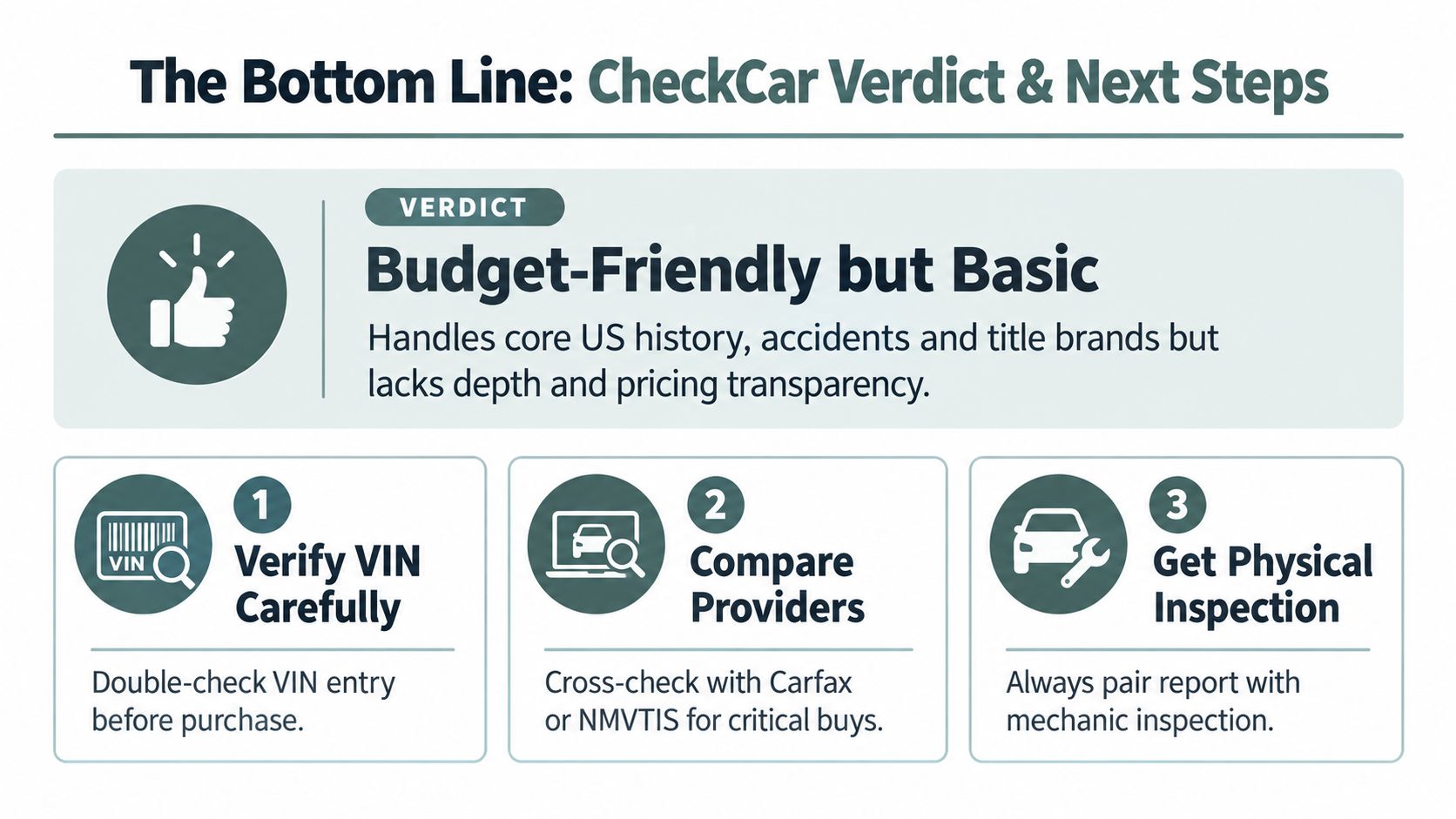
CheckCar is useful, but its proper role is limited. It can organize core U.S. vehicle-history signals for common vehicles and help identify obvious title, theft, recall, accident, or mileage concerns. It shouldn't be your final authority when the vehicle has crossed borders, moved through an auction, carried a branded title, or has a record that looks unusually sparse.
The strongest evidence comes from combining sources. Use the physical VIN to prevent a seller from giving you the identity of a different vehicle. Use the commercial report to surface reported events. Use the issuing DMV or title authority when a lien, brand, ownership, or title status needs official confirmation. Use a mechanic to assess the actual condition of the vehicle.
A buyer's final verification list
- Match the VIN in person. Compare the windshield plate, driver-door label, title, registration, and insurance documents.
- Read for gaps, not just flags. A blank section may indicate missing reporting rather than a clean history.
- Check mileage across time. Look for a coherent sequence, not just a current odometer reading.
- Confirm open recalls. Use NHTSA's official search by VIN or license plate, then contact a dealership about free recall repairs.
- Investigate branded titles. Ask the issuing DMV for the source record when the report shows salvage, rebuilt, flood, junk, or another title brand.
- Compare providers for unusual vehicles. A second report is especially sensible for an import, ex-fleet vehicle, salvage repair, or auction purchase.
- Schedule an inspection. No database can replace a qualified mechanic examining the car on a lift.
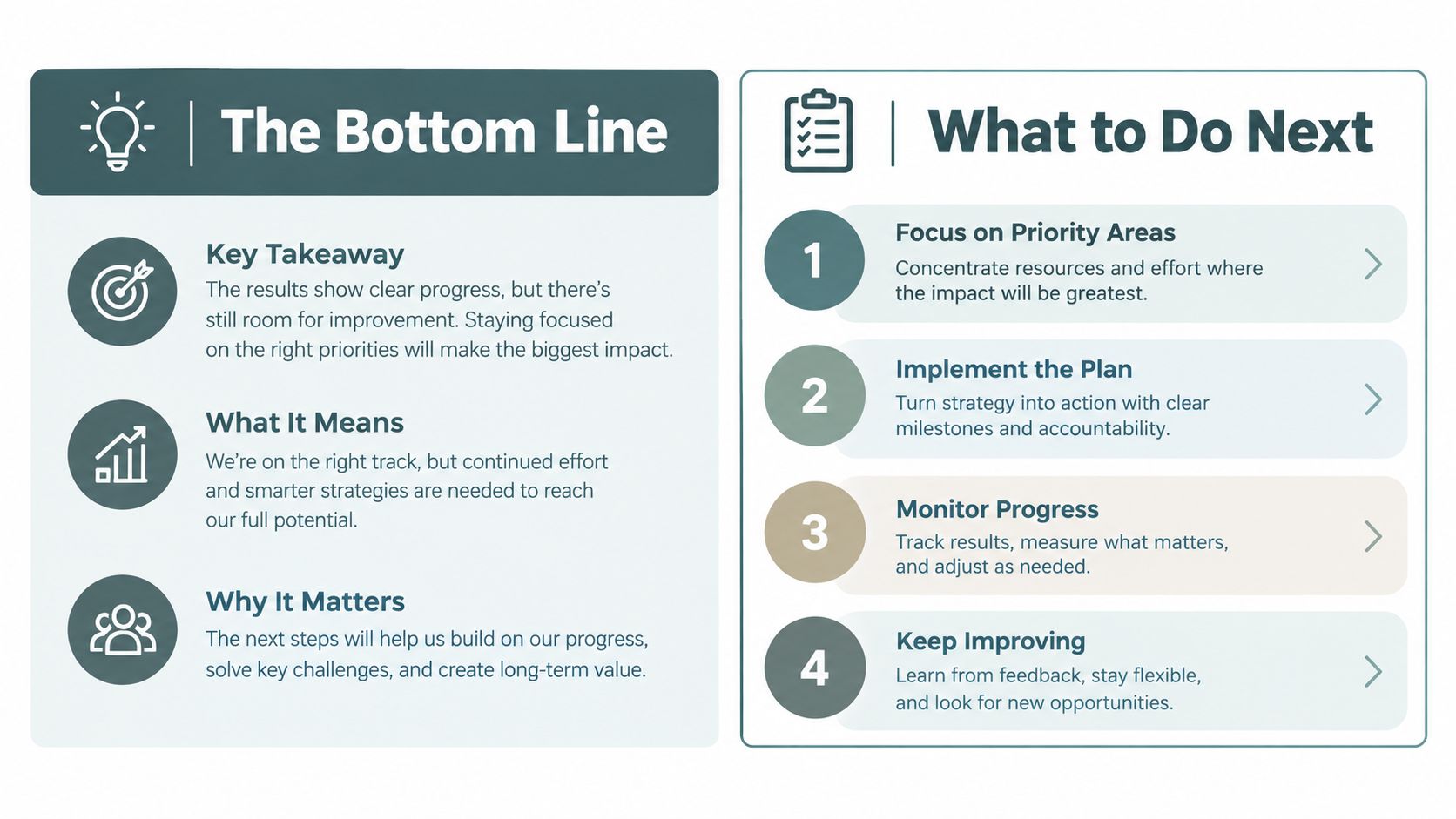
My verdict is direct. CheckCar is acceptable for a basic first screen, but it isn't enough for a complicated or high-value purchase. Read the billing terms, verify the VIN yourself, and choose the depth of research based on the vehicle's history rather than the report's low price.
For a deeper cross-border check, use Vektracer to review available title, accident, mileage, theft, auction, recall, ownership, and service records tied to the VIN or license plate. Run the report before you negotiate, then take any red flags to the seller, the issuing title authority, and an independent mechanic.
Ready to check a vehicle?
Enter any 17-character VIN for a free instant preview — no account needed.