Best VIN report examples: Spot red flags before you buy

Check a vehicle before you buy
Enter a VIN for a free instant preview — accidents, title brands, mileage, liens & open recalls.
TL;DR:
VIN reports reveal crucial vehicle history, including accidents, title status, and mileage issues.
They are useful tools but can miss unreported damage, title washing, and cash repairs.
Always verify report findings with a physical inspection and mechanic review before buying.
Buying a used car without checking its history is like hiring someone without looking at their resume. The car might look great on the outside, but what’s hiding underneath could cost you thousands. A VIN (Vehicle Identification Number) report pulls data from DMVs, insurers, police records, and service shops to give you a clear picture of what a vehicle has been through. This article walks you through real VIN report examples from CARFAX and AutoCheck, shows you exactly how to read each section, and helps you spot the red flags that sellers hope you’ll miss.
Table of Contents
Checking a specific vehicle?
Run its VIN for a free preview of accidents, title brands, mileage and open recalls.
AutoCheck report examples: Understanding scores and comparisons
Reading between the lines: Limitations of VIN report examples
Key Takeaways
Point | Details |
|---|---|
Know what matters | Title brands, accidents, odometer, and prior use are the key details to examine in a VIN report. |
Understand report limits | No report is perfect—unreported damage or title issues might escape notice. |
Compare multiple sources | Review real sample reports like CARFAX and AutoCheck to see how results can differ. |
Always inspect in person | Even with a clean report, a mechanic’s check is critical before you buy. |
What to look for in a VIN report
Now that you know why looking beneath the paint matters, let’s outline the specific details every useful VIN report should reveal. Not all reports are created equal, but the best ones share a common set of data points that can make or break your buying decision.
VIN reports aggregate from DMVs, police, insurers, auctions, and service shops, enabling buyers to spot title, accident, and odometer issues. Understanding what each section means is the first step to using that data effectively. Here’s what to focus on:
Title status: This is often the biggest deal breaker. A clean title means no major damage history. A salvage, rebuilt, or flood title signals serious past damage that may affect safety and resale value. Always check this first.
Accident and damage history: Look for the number of reported incidents, whether airbags deployed, and the severity level. A fender bender is very different from a frame-damaging collision.
Odometer records: Gaps in mileage reporting, sudden drops, or inconsistent trends are red flags for rolled-back odometers. This is one of the most common forms of used car fraud.
Open recalls: Unresolved safety recalls mean the car still has a manufacturer-identified defect. These are free to fix at dealerships, but they’re a negotiating point.
Liens: An active lien means someone else has a financial claim on the vehicle. Buying a car with an open lien can leave you legally exposed.
Prior usage: Fleet, rental, or taxi use means higher wear and tear, even if the mileage looks reasonable.
Service records: Regular oil changes and maintenance entries suggest a well-cared-for vehicle. Gaps in service history raise questions.
The VIN report structure can feel overwhelming at first, but once you know what each section represents, scanning for key warning signs becomes second nature. A good CARFAX guide can also help you understand how each data field is sourced and weighted.
Pro Tip: No single report is flawless. Use these elements as a guide, but always verify your findings with a trusted mechanic before signing anything.
CARFAX report examples: Breaking down each section
With our inspection checklist in hand, let’s decode what each section of a real CARFAX sample tells you as a buyer.
CARFAX reports include estimated owners, states, service records ranging from 12 to 25 entries, accident and damage details with severity levels, open recalls, and active liens. That’s a lot of ground covered in one document. Here’s how each major section breaks down:
Ownership history: Shows how many owners the vehicle has had, which states it was registered in, and roughly how many miles per year each owner drove. One or two owners with consistent annual mileage is a good sign.
Event timeline: A chronological log of registrations, service visits, and reported incidents. Look for long gaps or sudden jumps in mileage.
Accident and damage indicators: CARFAX displays these as “No accidents reported,” “Minor damage,” or “Major damage.” Pay close attention to whether structural damage or airbag deployment is noted.
Recall section: Lists any open or closed safety recalls. If a recall is still open, the repair hasn’t been completed.
Lien and title brands: Flags any financial claims or title brands like salvage, flood, or rebuilt.
Here’s a quick comparison of what a clean versus flagged CARFAX report looks like:
Category | Clean report | Flagged report |
|---|---|---|
Title status | Clean | Salvage or rebuilt |
Accidents reported | 0 | 2 or more |
Odometer trend | Consistent | Gap or rollback |
Service records | Regular entries | Sparse or missing |
Open recalls | None | 1 or more unresolved |
Over 165,000 sources feed into CARFAX, but not every event gets documented. A car repaired with cash at a small shop may never show up. That’s why the accident severity indicators and ownership records you see are valuable, but they’re not the complete story.

AutoCheck report examples: Understanding scores and comparisons
Seeing how CARFAX handles history, let’s turn to AutoCheck, especially their scoring system, and see how their report visuals stack up in real examples.
AutoCheck features a predictive score typically ranging from 85 to 96 in clean cases, along with title, accident, and odometer checks, and a full event chronology. The score is one of AutoCheck’s most distinctive features. Here’s how to interpret it step by step:
Find the AutoCheck Score: This number, usually between 1 and 100, predicts how the vehicle is likely to perform over the next five years relative to similar vehicles.
Compare to peers: AutoCheck benchmarks the score against vehicles of the same make, model, year, and mileage. A score of 88 on a 2018 sedan means more if similar sedans average 75.
Review title and accident checks: These appear as pass/fail indicators. A flag here warrants deeper investigation.
Check the odometer section: AutoCheck shows mileage at each reported event. Any decrease or suspicious jump should stop you cold.
Scan the event timeline: Recent events carry more weight. A minor incident five years ago matters less than one six months ago.
Here’s a side-by-side comparison of AutoCheck versus CARFAX on key features:
Feature | AutoCheck | CARFAX |
|---|---|---|
Predictive score | Yes (85-96 typical) | No |
Auction history | Strong | Moderate |
Service records | Limited | Extensive |
Price | $24.99 | $44.99 |
Data sources | Experian network | 165,000+ sources |
Understanding the VIN lookup process helps you get the most out of either report. And if a car has been in an accident, knowing the accident impact on value can inform your negotiation strategy. For more background on where this data originates, VIN data sources explained is worth a read.
Reading between the lines: Limitations of VIN report examples
Even the best VIN reports can’t tell you everything. Here’s what you need to know to read between the lines and protect yourself.
VIN reports can miss unreported accidents, odometer rollbacks, and title washing. Pairing your report with a physical inspection is essential. Title washing, for example, is when a salvage-titled vehicle gets re-registered in a different state to obscure its history. It’s more common than most buyers realize.
Here’s what commonly slips through even premium reports:
Accidents repaired with cash, never filed through insurance
Flood damage that occurred in states with inconsistent reporting
Frame damage fixed by a private shop with no digital footprint
Odometer rollbacks performed before the vehicle entered the reporting system
Title washing across state lines
Theft that was never officially reported
“A clean report is a good starting point, not a finish line. Hidden history is real, and it shows up most often in vehicles that look the best on paper.”
The hidden accident risks that don’t appear in reports are often the most expensive ones. Structural damage that wasn’t reported can compromise safety in a future collision. Detecting major warning signs during a physical inspection, like uneven panel gaps, mismatched paint, or rust in unusual spots, can catch what the report missed.
For a deeper look at where CARFAX accuracy limitations exist, it’s worth reviewing before you rely solely on any single report.
Pro Tip: Cross-check your VIN data with a trusted mechanic’s inspection. A pre-purchase inspection typically costs $100 to $150 and can save you from a $5,000 mistake.
The hard truth about VIN reports: Expert perspective
Armed with the facts and examples, here’s our honest take on what VIN reports can and can’t do for smart shoppers.
We’ve seen buyers walk away from perfectly good cars because of a minor reported fender bender. We’ve also seen buyers hand over full asking price for a vehicle with a clean report that turned out to have significant unreported frame damage. Both mistakes are costly in different ways.
The real value of a VIN report isn’t just in what it reveals. It’s in how you use that information. A reported accident doesn’t automatically mean the car is bad. It means you have leverage. Use it to negotiate a lower price, request repair documentation, or ask for a professional inspection as a condition of sale.
What most buyers miss is that a “nice” report can create false confidence. Missing data is common, and the absence of a red flag is not the same as a green light. The smartest buyers we’ve seen treat VIN reports as one layer of due diligence, not the whole picture. Combine your report findings with a visual check, a mechanic’s opinion, and a test drive. That combination is what actually protects your investment.
Want VIN reports you can trust?
If you’re ready to see your own VIN report or want to explore hands-on examples, here’s where to start.
At Vektracer, we built our reports to give you the same core data as the big names, at a price that doesn’t sting. Starting at just $19.99, our VIN-based reports cover accident history, title records, mileage verification, theft checks, safety recalls, and market value data.
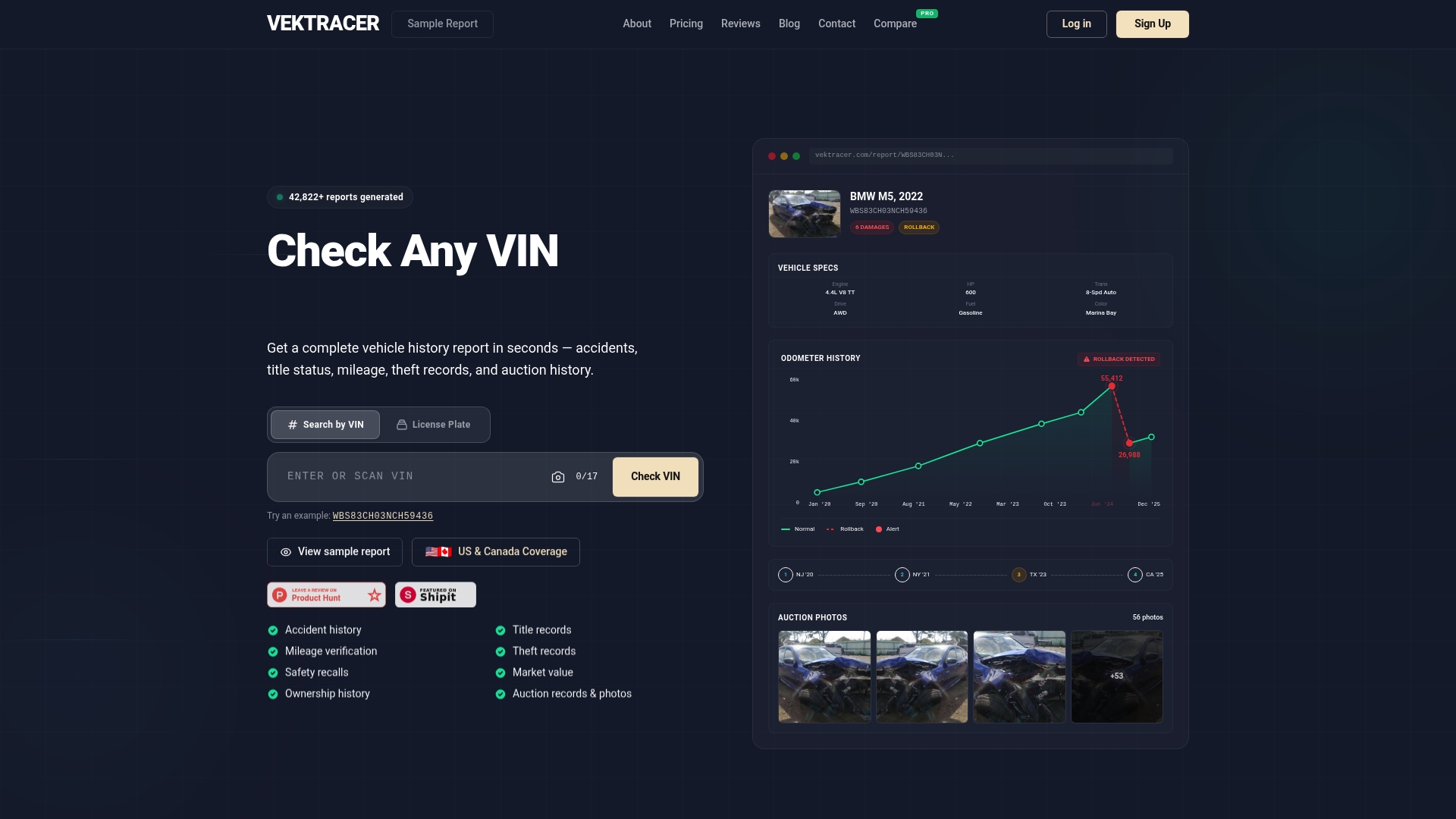
Not sure what you’ll get? See how VekTracer reports work before you commit, or browse a sample VIN report to see exactly how we display owner history, accident data, and title records. When you’re ready to run your own check, our pricing page breaks down every option clearly. No surprises, just the facts you need.
Frequently asked questions
What’s the difference between a CARFAX report and an AutoCheck report?
CARFAX offers more service record detail and pulls data from more shop partners, while AutoCheck features a predictive score and stronger auction history coverage. Your best choice depends on whether you prioritize maintenance transparency or score-based reliability prediction.
Can any VIN report show all past accidents and repairs?
No. VIN reports only capture what’s officially reported, so unreported events, cash repairs, and title washing may never appear. Always pair your report with a physical inspection.
Which red flags should I look for in a sample VIN report?
Watch for salvage or flood titles, multiple accidents, mileage inconsistencies, and open liens. These signals often point to costly risks that affect both safety and resale value.
Do ‘clean’ reports guarantee the car has never had issues?
No. Reporting gaps mean hidden history is entirely possible, so always combine your report check with a professional mechanical inspection before finalizing any purchase.
Recommended
Ready to check a vehicle?
Enter any 17-character VIN for a free instant preview — no account needed.