License Plate to VIN Lookup: Find a Car's VIN Before You Buy

Check a vehicle before you buy
Enter a VIN for a free instant preview — accidents, title brands, mileage, liens & open recalls.
License Plate to VIN Lookup: Find a Car’s VIN Before You Buy
Yes, in most U.S. states you can find a vehicle’s VIN from its license plate using online lookup tools or state-authorized services. The catch: results depend on whether the plate is current, which state issued it, and which data sources the tool taps. Here’s what to do right now:
- Try an online plate lookup — enter the plate number and the issuing state into a plate search tool.
- Confirm the VIN — cross-check the returned VIN against the physical VIN on the vehicle before going further.
- Run a VIN-based history report — a plate lookup gives you specs; a full VIN lookup report gives you accident history, title brands, and odometer data.
- Check the vehicle manually if the lookup fails — the VIN is stamped on the dashboard and door jamb.
- Respect legal limits — owner names and addresses are off-limits to casual users under federal law.
Online tools return results instantly. A formal DMV records request can take days to weeks depending on the state.
Key Takeaways
A license plate lookup returns vehicle specs quickly, but a VIN-based history report is what actually protects you from hidden title problems, odometer fraud, and undisclosed accidents before buying a used car.
| Point | Details |
|---|---|
| Plate lookup returns specs, not history | You get year, make, model, and trim — not accidents, title brands, or odometer data. |
| State is required for every lookup | The same plate number exists in multiple states; omitting the state returns wrong or no results. |
| DPPA blocks owner identity | Federal law prevents casual users from getting owner names or addresses from plate searches. |
| Manual VIN locations as backup | Check the dashboard, driver’s door jamb, or official documents when online lookups fail. |
| Vektracer reports start at $19.99 | NMVTIS-connected history reports covering accidents, titles, and odometer — at less than half the cost of Carfax. |
Table of Contents
- How does a license plate to VIN lookup actually work?
- What does a plate lookup return vs. a full VIN report?
- Privacy and legal limits: what plate lookups can’t show you
- How to find a VIN from a license plate, step by step
- Free vs. paid plate-to-VIN services: what you actually get
- Why NMVTIS-connected reports like Vektracer matter for buyers
- What we recommend before any used-car purchase
- Vektracer gives you NMVTIS-backed reports starting at $19.99
- Sources
- FAQ
How does a license plate to VIN lookup actually work?
A plate lookup works by matching your plate number and state to vehicle registration records and aggregated data feeds. The plate alone isn’t enough because the same letter-number combination can exist in multiple states simultaneously. That’s why every reliable tool asks for both.
The primary data sources behind these lookups include:
- State DMV records — the most authoritative source of current registration and title data.
- NMVTIS-connected feeds — the National Motor Vehicle Title Information System aggregates title, salvage, and theft data from state titling agencies, insurers, and junkyards.
- Auction and insurance records — total-loss declarations and auction sales often feed into commercial data aggregators.
- Titling agencies — when a vehicle changes hands, the new title creates a data event that flows into connected systems.
The matching logic is straightforward: the tool looks up which VIN is currently registered to that plate in that state. Where it gets complicated is plate transfers. In Washington State, for example, plates can be reassigned between vehicles, which means a plate that was on a 2018 Honda Civic last year might now be on a 2021 Ford F-150. If the data feed hasn’t updated, you could get the wrong vehicle’s specs. Expired plates create the same problem — the registration record may no longer be active.
What does a plate lookup return vs. a full VIN report?
A plate lookup returns vehicle-level specs but not full title or accident history. Think of it as the cover of a book, not the chapters inside.
J.D. Power’s license plate lookup and decoder illustrates this well: plate searches commonly return year, make, model, trim, and installed options, and the tool itself recommends confirming findings with a VIN-based report for complete history. Similarly, free tools like the Washington license plate lookup return make, model, year, trim, open NHTSA safety recalls, and crash ratings — but explicitly withhold personal owner data.
| What you evaluate | Plate lookup | VIN history report |
|---|---|---|
| What you get | Year, make, model, trim, recalls | Accidents, title brands, odometer, ownership history |
| Free vs. paid | Often free for basic specs | Usually paid for full history |
| Primary data sources | DMV registration records, aggregators | NMVTIS, state titling agencies, insurers, auctions |
| Price | Free for specs; varies for VIN | Typically $19.99 or more per report |
| Accuracy / depth | Good for specs; limited on history | Deep title and accident history |
| Speed / ease | Instant online | Instant online (paid tools) |
When is a plate lookup enough? If you just need to confirm the year, make, and model of a car you spotted, a free plate search does the job.
When do you need a VIN report? Any time you’re considering buying. A plate lookup won’t tell you if the car was in a flood, had its odometer rolled back, or carries a salvage title. That’s where a VIN-based history report becomes non-optional.
Privacy and legal limits: what plate lookups can’t show you
The federal Driver’s Privacy Protection Act (DPPA) prevents online tools from returning owner names, home addresses, or other personally identifying information to casual users. Plate lookups return vehicle data only — not the person behind the registration.
Florida’s Highway Safety and Motor Vehicles agency reiterates this clearly: reverse owner searches are restricted to authorized entities. The authorized user classes under DPPA include:
- Law enforcement agencies — for official investigations.
- Courts and government agencies — for legal proceedings and regulatory functions.
- Licensed private investigators — for specific permitted purposes.
- Insurers and employers — in limited, defined circumstances.
- Towing and repossession companies — under specific contractual arrangements.
If you need owner identity for a legal matter such as a hit-and-run, the right channel is law enforcement or a court order — not a consumer plate lookup tool. Washington State’s contracted plate search program (formerly IVIPS) shows how this works in practice: qualified businesses and government users can search by plate or VIN, but they must register, agree to data-use rules, and maintain audit trails.
Private online services cannot lawfully deliver owner identity to everyday users, regardless of what their marketing suggests.
How to find a VIN from a license plate, step by step
Start here: enter the plate number and state into an online plate search tool, confirm the returned VIN, then run a VIN-based history report. If the online lookup fails, go to the vehicle itself.
- Note the exact plate number and state abbreviation. Specialty plates, vanity plates, and temporary tags sometimes use formats that differ from standard plates — record the format precisely.
- Enter the plate and state into a reputable plate lookup tool. Tools like J.D. Power’s decoder or state-specific lookup services are good starting points.
- Review the returned vehicle specs. Confirm the year, make, model, and trim match the vehicle you’re looking at.
- Copy the VIN if it’s returned. Not every tool returns the full VIN — some return specs only.
- Run a VIN-based history report using the confirmed VIN to check for accidents, title brands, and odometer issues. This is the step that actually protects you as a buyer.
- If no VIN is returned online, locate it physically on the vehicle:
- Driver’s side dashboard, visible through the windshield.
- Driver’s door jamb (a sticker or metal plate).
- Engine bay (stamped on the block on some models).
- The vehicle’s title, registration, or insurance documents.
The Texas DMV’s VIN guide confirms these locations and notes that official documents like the title and registration are reliable backups when the physical stamp is hard to read.
Common reasons a plate lookup fails:
- The plate has expired or been transferred to another vehicle.
- You entered the plate number or state incorrectly.
- The vehicle uses a specialty or temporary plate not in the data feed.
- The registration record hasn’t updated after a recent sale.
Pro Tip: Always double-check the state abbreviation. A plate from Washington State (WA) and Washington D.C. (DC) are entirely different jurisdictions — entering the wrong one is one of the most common lookup errors.
Free vs. paid plate-to-VIN services: what you actually get
Free tools often return core vehicle specs and sometimes the VIN. Paid services provide deeper title and history data tied to NMVTIS and state feeds. The gap between the two matters most when you’re about to hand over money for a used car.
Here’s what to expect across the spectrum:
- Free state-run or public tools — return basic registration data (make, model, year). Accuracy is high for current registrations; older or expired plates may not appear.
- Free web decoders — return specs and sometimes open recalls. Rarely return a full VIN. Good for quick identification, not for purchase decisions.
- Paid history-report providers — connect to NMVTIS, state titling agencies, insurers, and auction records. Return accident history, title brands, odometer readings, and theft checks. This is where J.D. Power, FaxVIN, Carfax, and AutoCheck operate.
On pricing: Carfax reports have a higher per-report cost compared to some competitors. Free tools give you specs but stop well short of the history data that actually reveals hidden problems.
NMVTIS is the trusted data backbone for title and salvage information. When a provider explicitly connects to NMVTIS, it means their title brand and salvage data comes from the same government-connected system that state DMVs use. That matters because a salvage or flood title recorded in one state needs to follow the car if it’s re-registered elsewhere — NMVTIS is the system designed to prevent that from being hidden.
Practical expectation: free plate lookups return a full VIN less often than paid tools. If the free result gives you specs but no VIN, use those specs to confirm you’re looking at the right vehicle, then find the VIN physically and run a paid report.
Why NMVTIS-connected reports like Vektracer matter for buyers
Once you have a VIN from a plate lookup, the next step is a history report from a provider you can trust. Vektracer provides NMVTIS-connected vehicle history reports built specifically for buyers who need reliable title and accident checks before committing to a purchase.
What Vektracer’s reports include:
- Accident history — reported collisions and damage events.
- Title brands — salvage, flood, lemon law buyback, and other title flags.
- Mileage verification — odometer readings across the vehicle’s history to flag rollbacks.
- Theft checks — cross-referenced against theft databases.
- Safety recalls — open NHTSA recalls tied to the VIN.
- Market value data — so you know whether the asking price is fair.
Reports start at a cost lower than Carfax’s typical pricing. The data comes from the same NMVTIS-connected sources. You can check the sample report to see exactly what fields are included before you buy.
After you’ve confirmed the VIN from your plate lookup, running a VIN accident history check is the single most protective step you can take before buying.

What we recommend before any used-car purchase
Run the plate lookup first, confirm the VIN, then run a full VIN history report before you negotiate price or sign anything.
The extra VIN check matters because a clean-looking car can carry a flood title, a rolled-back odometer, or an open recall that the seller hasn’t disclosed. A plate lookup gets you into the right vehicle record. The history report tells you whether that vehicle is worth buying. Skipping the second step is where buyers get burned.
If you’re in a hurry, at minimum get the VIN from the dashboard and run a quick history check before you hand over a deposit.
Vektracer gives you NMVTIS-backed reports starting at $19.99
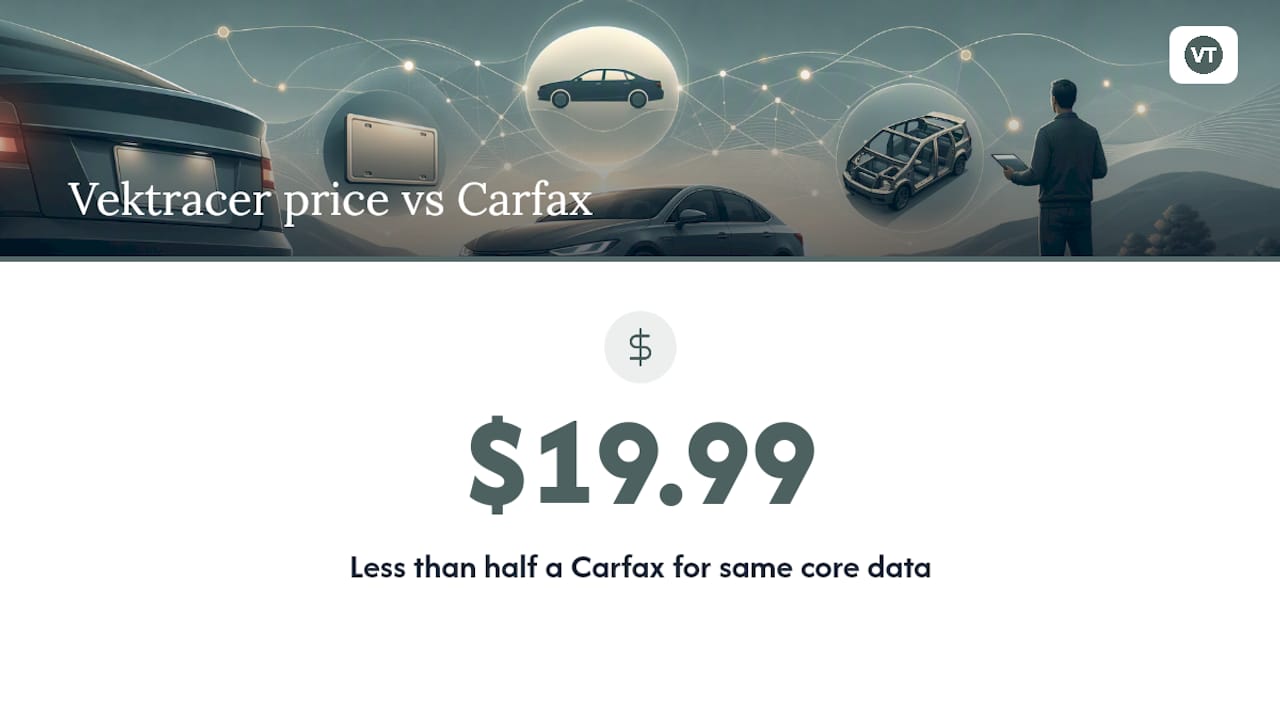
After a plate lookup points you to the VIN, the decision that protects your money is what you do next. Vektracer delivers full vehicle history reports — accident records, title brands, odometer checks, theft flags, and open recalls — using NMVTIS-connected data sources, starting at $19.99 per report. That’s less than half the price of a Carfax report for the same core data.
Confirm your VIN first, then run your report at Vektracer to see exactly what that vehicle has been through. If you want to compare tiers before committing, the pricing page lays out every option clearly.
Sources
- Driver Privacy Protection Act - Florida Highway Safety and Motor Vehicles
- License Plate Lookup & Decoder | J.D. Power
- Washington License Plate Lookup — Free, No Signup
FAQ
Can I find my VIN by searching my license plate?
Yes, in most states an online plate lookup will return the VIN along with basic vehicle specs. Results depend on whether the plate is current and which data sources the tool uses.
How do I find a VIN without a license plate?
Check the driver’s side dashboard (visible through the windshield), the driver’s door jamb, or your vehicle’s title, registration, or insurance documents — all of these carry the VIN.
Can you reverse search a license plate to find the owner?
No. The federal Driver’s Privacy Protection Act restricts owner-identifying information to authorized users such as law enforcement and courts. Consumer plate lookup tools return vehicle data only, not owner names or addresses.
Is there a free license plate lookup by state?
Many states offer free or low-cost plate lookup tools that return basic vehicle specs. Washington State’s public lookup, for example, returns make, model, year, trim, and open recalls at no cost — but a full history report with title and accident data requires a paid service.
Recommended
Ready to check a vehicle?
Enter any 17-character VIN for a free instant preview — no account needed.